The top Leonardo AI prompts on Wikiprompt, from AlbedoBase XL fractal styles to Lucid Realism and Motion 2.0 videos, plus the template patterns that make them reusable.
Leonardo AI is one of the most template-friendly image platforms in the Wikiprompt catalog. It is not a single model but a studio of fine-tuned ones: our community runs prompts through AlbedoBase XL, Leonardo Diffusion XL, Vision XL, Kino XL, Phoenix and the newer Lucid Realism and Lucid Origin, often with the Alchemy pipeline switched on, and animates stills with Motion 2.0. Wikiprompt now indexes more than 170 Leonardo prompts: about 146 images, 18 videos and a handful of text-only templates.
What sets this collection apart is how reusable it is. More than half of the Leonardo image prompts ship with bracketed slots like [SUBJECT], [COLOR1] and [COLOR2], so you are not copying someone's picture, you are borrowing their recipe.
What Leonardo is used for
The keywords and styles attached to these prompts tell a clear story:
Stylized digital art over photorealism. The top styles are "cinematic", "fantasy", "digital art", "surreal" and "cyberpunk". Photorealistic prompts exist, but the community mostly uses Leonardo for illustration, posters and concept art.Base prompts you remix. "Template", "subject" and "placeholder" are among the most frequent keywords. A large share of the catalog comes from creators who publish a style once and invite everyone to swap in their own subject.Glow, neon and fractals. "Glowing", "neon", "vibrant", "high contrast" and "iridescent" show up again and again. Leonardo's fine-tunes handle saturated light effects well, and prompt writers lean into it.Short cinematic video. The Motion 2.0 and Lucid-to-video prompts are written like shot descriptions: camera angle, movement and a single action.Patterns that work
These come from the structure of the highest-rated Leonardo prompts on Wikiprompt:
Lead with the style name, then the slot. Prompts like "Hyperneon Hologofractal glitchmorph [SUBJECT]" or "[SUBJECT] in the style of cyber manga" put the invented style label first so the model locks onto the look before it reads the subject.Use two color slots. [COLOR1] and [COLOR2] is the single most common pattern in the set. Constraining the palette to two colors keeps fractal and neon styles from turning muddy.Name the fine-tune and preset. The best posts record the settings, for example "Leonardo Diffusion XL, Dynamic, Ratio 2:3, Alchemy V2" or "Vision XL / Dynamic / Glowave 0.7 / CGI Noir 0.6". On Leonardo the model and preset change the result as much as the words do, so keep them with the prompt.Offer a menu instead of one adjective. The Rorschach eyes template lists ten effect options (luminous, radiant, iridescent, incandescent and more) for a single [EFFECT] slot. It turns one prompt into ten variations.Keep it short. The average Leonardo prompt in our catalog is under 300 characters. These are dense style phrases, not long scene descriptions.The best Leonardo prompts on Wikiprompt
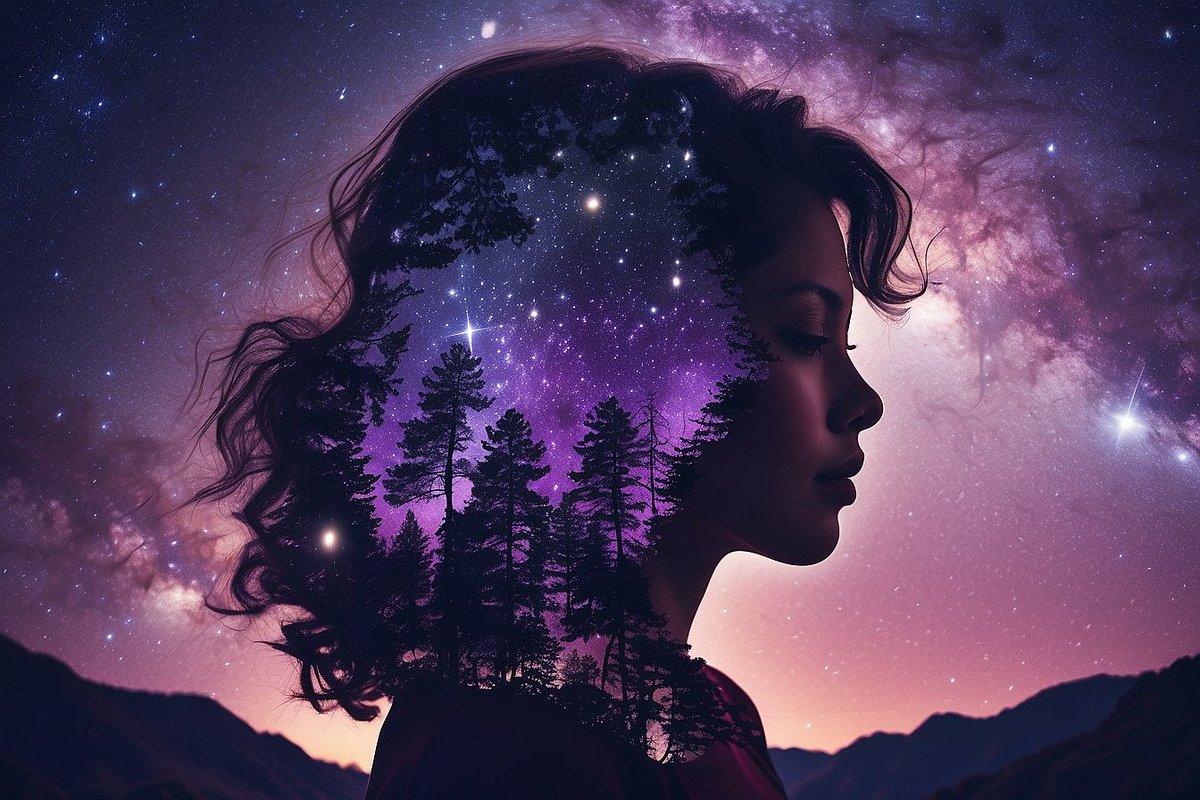
Hyperneon Hologofractal Glitchmorph Prompt - a two-color fractal glitch style on AlbedoBase XL that turns any subject into gilded, glowing armor.Double Exposure Celestial Silhouette Prompt - a scene seen through a silhouette against the night sky, with the exact Diffusion XL and Alchemy V2 settings.Rorschach Eyes Base Prompt - a close-up template with a ten-option menu for the eye effect.Biopunk Vintage Poster Prompt - dark, intricate oil-painting posters with two color slots and a witchcore mood.Charcoal Dream Storyboard - a Lucid Origin recipe for gestural charcoal frames, useful for film pre-visualization.Cyber Manga Environmental Portrait Base Prompt - stencil art meets neo-traditional Japanese illustration.Cyberpunk Savior Base Prompt - augmented heroes in a gritty neon city, written for Lucid Realism.Synthwave Rebel Base Prompt - the same base structure with retro-futuristic gear and grid horizons.Abstract Full Body Sculpture Prompt - collage-style sculptures against surreal backgrounds.Psychedelic 2D Illustration Prompt - kaleidoscopic flat illustration with fractal patterns.Skeleton Art Prompt with Leonardo AI Settings - a settings-first post that shows how much the preset stack (Glowave, CGI Noir) does.Monte Carlo Rally Chase Video Prompt - a low-angle tracking shot of a rally car drifting at speed.Classic Mustang Desert Drive Cinematic Prompt - Lucid Realism plus Motion 2.0 for a moody muscle-car drive.Ballerina Kaleidoscopic Pirouette - a one-line Motion 2.0 prompt that shows how little text a good camera move needs.Ant's-eye POV Sprint Through a Construction Site (JSON) - a structured JSON shot spec with lens, composition and terrain-scale distortion.A quick starter recipe
Combine the patterns above into one reusable base prompt:
[STYLE NAME] [SUBJECT], [COLOR1] and [COLOR2], glowing details, high contrast, dark background, intricately detailed
Then pick a fine-tune that matches the look (AlbedoBase XL or Diffusion XL for stylized art, Lucid Realism or Kino XL for cinematic realism), choose a preset such as Dynamic, and turn on Alchemy if your plan includes it. Save the settings next to the prompt so you can reproduce the result.
Explore more
All Leonardo prompts on WikipromptThe Best Midjourney Prompts for a comparable stylized-art workflowThe Best Adobe Firefly Prompts for another creative-suite platform