How to Write Prompts for Product Photography
Master AI product photography prompts: lighting, composition, style, and negative prompts. Includes examples and a checklist.
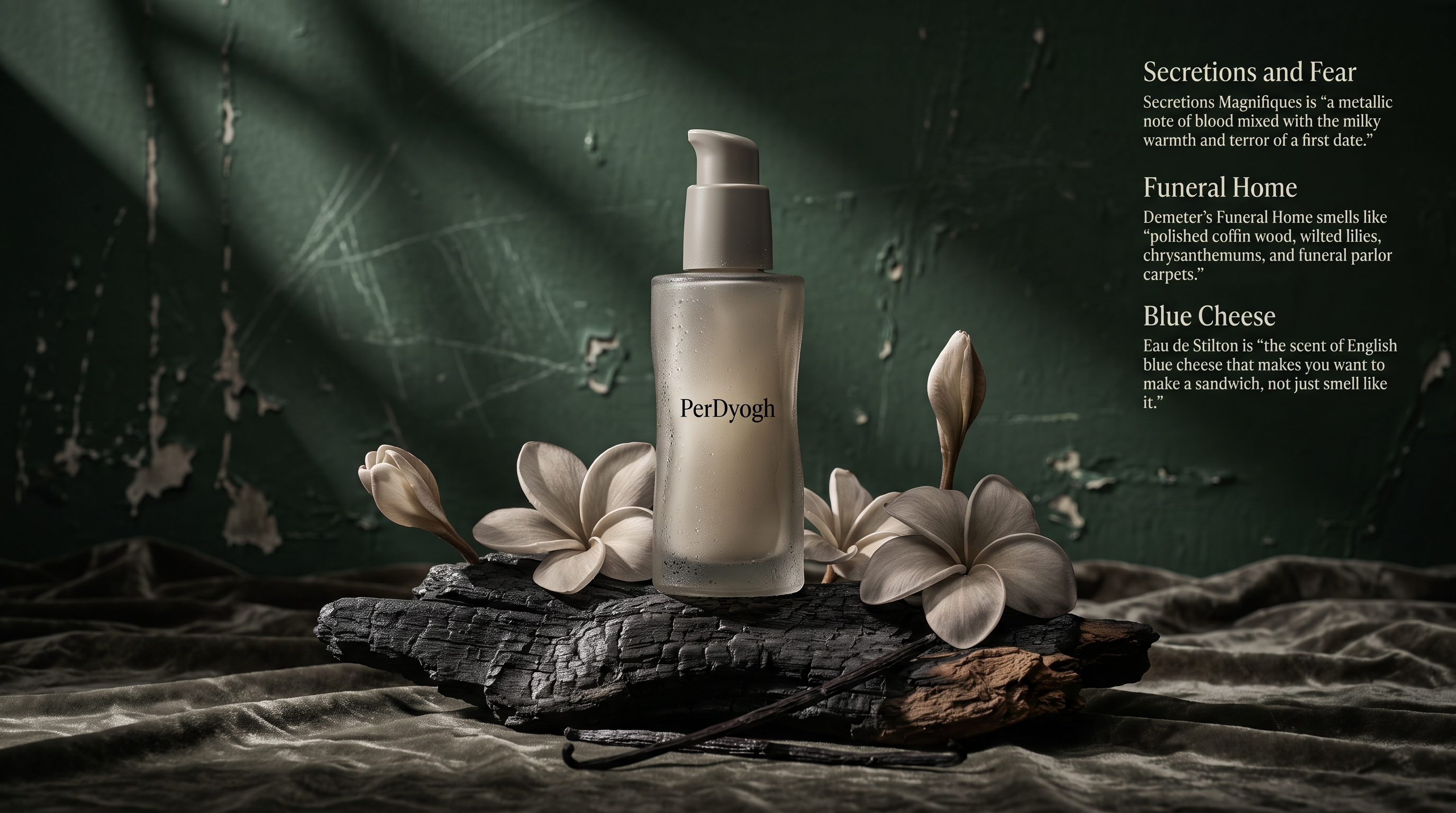
How to Write Prompts for Product Photography: A Practical Guide
AI image generators have transformed product photography. You can create studio-quality shots without a camera, lighting rig, or expensive set. But the quality of your output depends entirely on the quality of your prompt. This guide walks you through crafting effective prompts for product photography, with concrete examples, common pitfalls, and a reusable checklist.
Whether you're a marketer, e-commerce entrepreneur, or creative professional, these techniques will help you generate compelling product images that sell.
Why Product Photography Prompts Are Different
Product photography is not the same as general image generation. It demands precision: the product must look exactly like the real item, the lighting must showcase texture and form, and the composition must draw the eye to the product. A vague prompt like "a bottle of perfume on a table" will produce a generic image that doesn't match your product.
Instead, you need to treat the prompt as a creative brief. You are the art director, and the AI is your photographer. You must specify:
As OpenAI's prompt engineering guide notes, clear and specific instructions lead to better results. The same principle applies to image generation.
Core Elements of a Strong Product Photography Prompt
A well-structured prompt typically includes the following components. Let's break them down.
1. Product Description
Start with a detailed description of the product. Include brand name (if applicable), color, material, shape, and any distinctive features. The more specific you are, the more accurate the output.
Example: Instead of "a watch," write "a minimalist stainless steel wristwatch with a black leather strap and a white dial."
2. Setting and Background
Describe where the product is placed. Is it on a clean white background, a rustic wooden table, or a neon-lit city street? The background sets the mood and context.
Example: "The watch rests on a dark slate surface with soft bokeh lights in the background."
3. Lighting
Lighting is critical in product photography. Specify the type (softbox, natural window light, neon), direction (side, back, top), and mood (warm, cool, dramatic).
Example: "Soft, diffused side lighting highlights the watch's metallic texture, with gentle shadows."
4. Camera Angle and Lens
Mention the camera angle (eye-level, top-down, low angle) and lens type (macro, wide-angle, 85mm). This controls perspective and depth.
Example: "Shot from a 45-degree angle with a macro lens to capture fine details."
5. Composition and Framing
Describe how the product is framed. Is it centered, off-center, or in a rule-of-thirds composition? Include negative space if needed.
Example: "The watch is centered with ample negative space on the left for text overlay."
6. Style and Mood
Define the overall aesthetic: minimalist, luxury, vintage, futuristic, cozy, etc. This guides the AI's artistic choices.
Example: "A luxury, high-end aesthetic with a dark, moody atmosphere."
7. Technical Specifications
Add resolution, aspect ratio, and any output preferences. For example, "8K, ultra-realistic, aspect ratio 4:5."
Example Prompt Structure
Here's a template you can adapt:
[Product description] placed on [setting], with [lighting]. Shot from [camera angle] using [lens type]. [Composition details]. The style is [style/mood]. [Technical specs].
Full example:
A clear glass bottle of vitamin C serum with a white dropper cap, placed on a wet citrus slice and surrounded by fresh oranges, with bright, natural window lighting creating soft reflections. Shot from a top-down angle with a 50mm lens, centered composition with space around the bottle. The style is fresh, clean, and spa-like. Ultra-realistic, 4K.
This prompt is detailed enough to guide the AI toward a specific, usable image.
Advanced Techniques: Style Transfer and Reference Prompts
Sometimes you want to emulate a specific photography style, like a particular photographer or a genre. You can mention that in the prompt. For example, "in the style of a high-end perfume advertisement" or "reminiscent of a minimalist Scandinavian catalog."
You can also use existing prompts as inspiration. For instance, the hyper-realistic floating soda can product shot (JSON prompt) shows how structured prompts can yield dramatic results. Similarly, the advertising food photography template for floating desserts demonstrates a reusable pattern for dynamic compositions.
Another technique is to use negative prompts (in tools that support them) to exclude unwanted elements. For example, "no text, no watermark, no people, no clutter." This helps avoid common artifacts.
Common Mistakes and How to Avoid Them
Even experienced prompt writers make these errors. Here's how to steer clear.
1. Being Too Vague
Mistake: "A shoe"
Fix: "A red high-top sneaker with white laces, placed on a concrete step, with soft morning sunlight."
Vagueness leads to generic results. The AI doesn't know what you want, so it defaults to its training data.
2. Overloading the Prompt
Mistake: Including every possible detail, resulting in a chaotic image.
Fix: Prioritize the most important elements. Use concise, descriptive phrases rather than long sentences.
A prompt like "a bottle of perfume on a marble table with a rose, soft light, gold accents, mirror reflection, and a blurred city background" may confuse the model. Simplify to what matters most.
3. Ignoring Lighting
Mistake: Forgetting to specify lighting, leading to flat or harsh shadows.
Fix: Always include lighting direction and quality. Lighting can make or break a product shot.
4. Not Specifying Aspect Ratio or Composition
Mistake: Getting a square image when you need a vertical ad.
Fix: Include aspect ratio (e.g., "aspect ratio 9:16") and composition notes like "centered" or "rule of thirds."
5. Forgetting the Product's Unique Features
Mistake: Describing a generic product instead of your specific item.
Fix: Include details like logo, color, material, and any distinctive design elements. This is crucial for e-commerce.
Do's and Don'ts
Do's
Don'ts
Real-World Examples and Prompt Templates
To get you started, here are three templates for common product photography scenarios.
Template 1: Clean E-commerce Shot
[Product] on a seamless white background, with soft, even lighting. Shot from a front angle with a 85mm lens, centered composition. The style is clean, bright, and minimal. High resolution, aspect ratio 1:1.
Use case: Product listings, catalogs.
Template 2: Lifestyle Shot
[Product] in a [setting, e.g., kitchen, outdoor, office], with [lighting, e.g., golden hour, natural window light]. Shot from [angle] with a [lens]. The style is [mood, e.g., cozy, energetic]. Realistic, 4K.
Use case: Social media, advertising.
Template 3: Creative/Artistic Shot
[Product] with [creative element, e.g., floating, in a surreal environment], with [lighting]. Shot from [angle] with a [lens]. The style is [artistic style, e.g., surreal, futuristic]. Ultra-detailed, 8K.
Use case: Brand campaigns, posters.
For inspiration, check out these existing prompts on wikiprompt.org:
These examples show how different techniques (shadow play, color palettes, surrealism) can be applied to product photography.
Iterating and Refining Your Prompts
Prompt writing is iterative. The first output may not be perfect. Use the following loop:
As Anthropic's prompt engineering overview suggests, iterative refinement is key to success. The same applies to image generation.
You can also use tools like Google's Gemini prompting strategies to learn how different models interpret prompts. Each model has its own quirks, so experimentation is essential.
A Checklist for Your Next Product Photography Prompt
Before you hit generate, run through this checklist:
Conclusion
Writing prompts for product photography is a skill that improves with practice. By breaking down your prompt into core elements, avoiding common mistakes, and iterating based on results, you can generate stunning product images that elevate your brand.
Start with the templates above, adapt them to your products, and explore the creative category on wikiprompt.org for more inspiration. You can also search for product-related prompts to see how others structure theirs.
For further reading, check out the Prompt Engineering Guide or Learn Prompting to deepen your understanding of prompt design. If you're using Claude, the Anthropic prompt library offers useful examples, and their business-focused guide can help you apply these skills in a commercial context.
Remember: the best prompt is one that clearly communicates your vision. Happy prompting!
Related Articles
- The Best Ideogram Prompts
Oct 13, 2026 · 7 min read
- 最佳Ideogram提示词
Oct 13, 2026 · 7 min read
- Die besten Ideogram-Prompts
Oct 13, 2026 · 7 min read
- Los Mejores Prompts de Ideogram
Oct 13, 2026 · 7 min read
- Les Meilleurs Prompts pour Ideogram
Oct 13, 2026 · 7 min read