How to Write Prompts for Nano Banana and Gemini Image
Master prompt writing for Google's Nano Banana and Gemini Image models. Learn structure, style, and iteration with real examples.
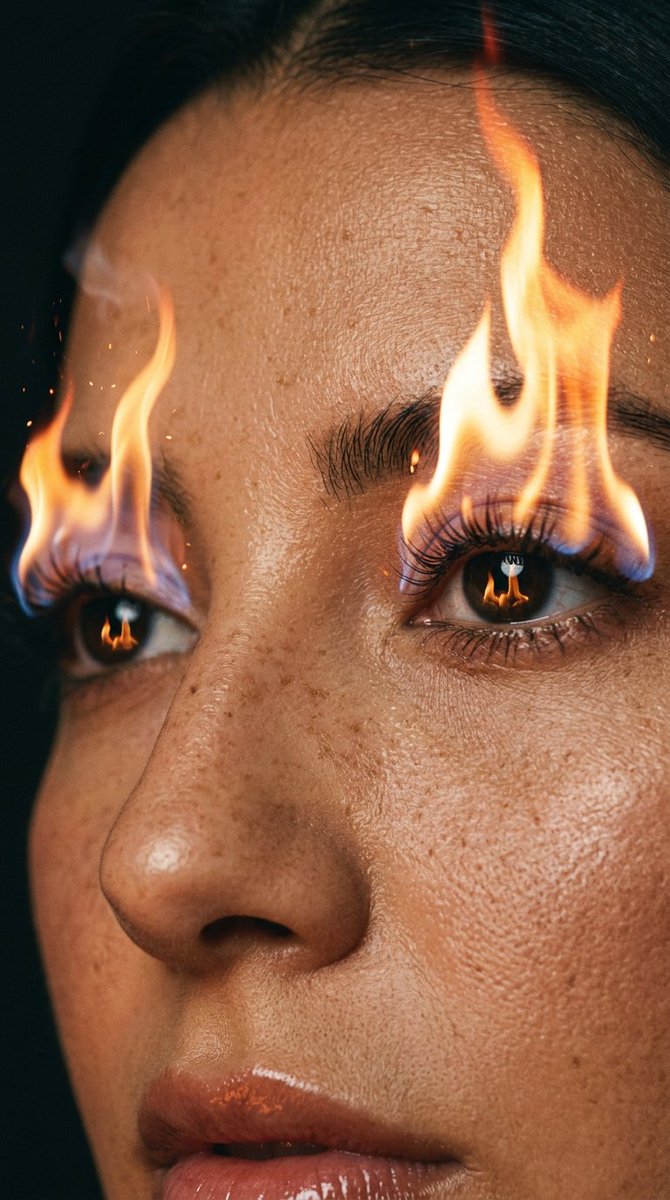
How to Write Prompts for Nano Banana and Gemini Image
Google's image generation models, affectionately nicknamed Nano Banana (the experimental model in Gemini) and the production Gemini Image model, are incredibly powerful. But their output quality depends almost entirely on how you write your prompt. A vague prompt yields a generic image; a well-structured prompt yields a masterpiece.
This guide distills the best practices from Google's own documentation and the broader prompt engineering community, tailored specifically for these image models. You'll learn the anatomy of a great prompt, see before-and-after examples, and get a checklist you can use immediately.
Why Nano Banana and Gemini Image Need Different Prompts
Unlike text-only LLMs, image models interpret your words as visual instructions. They don't reason about grammar; they reason about pixels. Nano Banana, in particular, excels at photorealism and creative composition, while Gemini Image handles a wider range of styles. Both respond well to:
A common mistake is writing a prompt like "a dog in a park." That gives the model too much freedom. Instead, you want to constrain the scene: "a golden retriever sitting on a wooden bench in a sunlit park, shallow depth of field, 85mm lens, warm afternoon light."
The Anatomy of a High-Performing Image Prompt
Based on Google's prompting strategies and the Prompt Engineering Guide, a strong prompt for Nano Banana or Gemini Image typically includes these components:
Let's see this in practice. Compare these two prompts:
This strong prompt is exactly what you'll find in the bioluminescent beach dance prompt on wikiprompt. It gives the model a clear subject, action, environment, lighting, style, and mood.
Step-by-Step Prompt Writing Process
Step 1: Define the Core Subject
Start with a clear noun. Be specific: "a weathered fisherman" is better than "an old man." If you're using an uploaded photo, like in the editorial magazine spread portrait, your subject is already defined, but you still need to specify the desired transformation.
Step 2: Add Visual Context
Ask yourself: What makes this scene interesting? Add environmental details. For example, instead of "a product on a table," try "a perfume bottle levitating above a reflective black surface, surrounded by swirling mist, dramatic studio lighting." This is the essence of the Phantom Protocol levitating product prompt.
Step 3: Specify Style and Medium
Nano Banana is particularly good at mimicking photographic styles. Use terms like:
For a surreal look, you might say "ultra-surrealist, glass and neon transformation," as seen in this ultra-surrealist prompt.
Step 4: Define Lighting and Mood
Lighting is a huge factor in image quality. Words like "golden hour," "neon glow," "soft diffused light," or "high contrast" dramatically change the output. Mood words like "mysterious," "joyful," "melancholic" also help.
Step 5: Iterate and Refine
Your first prompt won't be perfect. Use the model's output as feedback. If the image is too busy, simplify. If it's too plain, add a style descriptor. The OpenAI prompt engineering guide emphasizes iteration, and the same applies to image models.
Advanced Techniques for Nano Banana
Nano Banana (the experimental model) has a reputation for handling complex, multi-subject scenes and even text rendering. Here are advanced tips:
Common Mistakes and How to Avoid Them
Example: From Bad to Great
Let's transform a weak prompt step by step.
Bad: "A cat"
Better: "A fluffy white cat sitting on a windowsill, looking outside, soft morning light"
Great: "A fluffy white cat sitting on a wooden windowsill, looking outside at a rainy street, soft diffused morning light, shallow depth of field, 50mm lens, photorealistic, cozy mood"
The great prompt gives the model every visual cue it needs.
Using Existing Prompts as Templates
One of the best ways to learn is to study well-crafted prompts. The wikiprompt library has a category for creative prompts with many examples. For instance, the editorial magazine spread portrait prompt shows how to transform a simple photo into a high-fashion spread. You can adapt these templates to your own needs.
The Role of Negative Prompts and Parameters
While Nano Banana and Gemini Image have limited parameter control compared to Stable Diffusion, you can still influence output with phrases like "no people," "no text," or "no watermark." Also, specifying "high resolution" or "8k" can help, though the model may ignore it if it's not relevant.
Further Reading and Resources
If you want to dive deeper, these resources are excellent:
Checklist for Your Next Prompt
Before you hit generate, run through this checklist:
Conclusion
Writing prompts for Nano Banana and Gemini Image is a skill you can master with practice. Start simple, add layers of visual detail, and iterate based on the output. Use the examples in this guide and the search for nano prompts on wikiprompt to get inspired. Remember, the model is a collaborator, not a mind reader. The more precise you are, the more stunning the results.
Happy prompting!
Related Articles
- The Best Ideogram Prompts
Oct 13, 2026 · 7 min read
- 最佳Ideogram提示词
Oct 13, 2026 · 7 min read
- Die besten Ideogram-Prompts
Oct 13, 2026 · 7 min read
- Los Mejores Prompts de Ideogram
Oct 13, 2026 · 7 min read
- Les Meilleurs Prompts pour Ideogram
Oct 13, 2026 · 7 min read