How to Write Prompts for Cinematic Portraits
Master the art of crafting cinematic portrait prompts for AI image generators. Learn lighting, lens, mood, and composition techniques with examples.
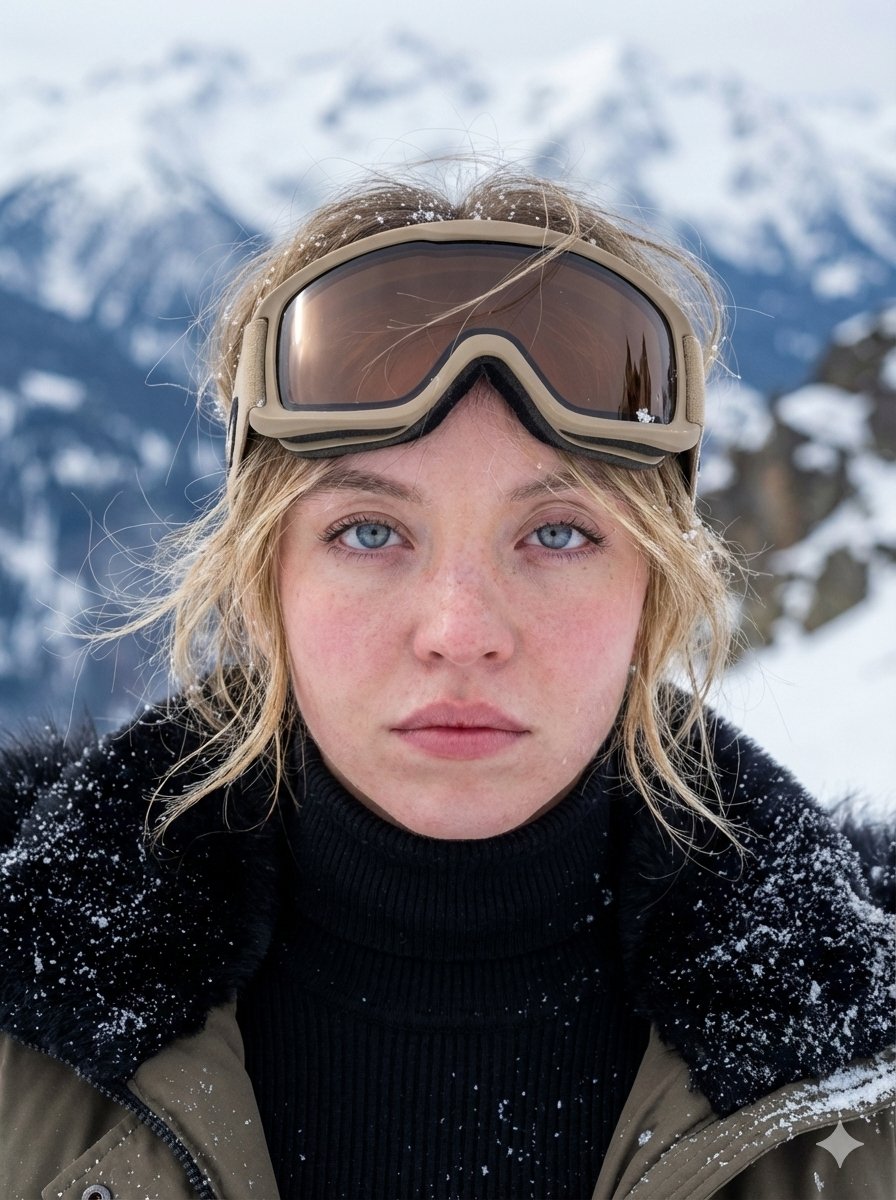
How to Write Prompts for Cinematic Portraits
Cinematic portraits are more than just pictures of people - they tell a story, evoke emotion, and feel like a frame pulled from a film. Whether you're using Midjourney, DALL-E, Stable Diffusion, or another AI image generator, the quality of your output depends heavily on how you craft your prompt. This guide walks you through the essential elements of a cinematic portrait prompt, with practical tips and examples you can adapt immediately.
Why Prompt Structure Matters
AI image models respond to specific keywords and structures. A vague prompt like "a portrait of a woman" will produce generic results. But a structured prompt that includes lighting, lens, mood, and composition can transform a bland image into a cinematic masterpiece. According to OpenAI's prompt engineering guide, being descriptive and using specific details significantly improves output quality. Similarly, Anthropic's prompt engineering overview emphasizes the importance of clear, detailed instructions - a principle that applies just as well to image generation as to text.
Core Elements of a Cinematic Portrait Prompt
A strong cinematic portrait prompt typically includes the following components:
Let's break each down with examples.
Lighting: The Soul of Cinematic Portraits
Lighting sets the tone and creates depth. Instead of just saying "good lighting," be specific. Use terms like:
Example prompt: "Portrait of an elderly fisherman, Rembrandt lighting, deep shadows on one side of face, warm golden hour glow in background, weathered skin texture, contemplative expression."
Lens and Camera Settings
Cinematic portraits often use specific lenses to achieve a shallow depth of field or a particular perspective. Include terms like:
Example: "Close-up portrait of a young woman with freckles, 85mm f/1.4, creamy bokeh background, shot on Arri Alexa, soft morning light."
Composition and Framing
How you frame the subject affects the storytelling. Use terms like:
Example: "Medium shot of a jazz musician in a smoky club, rule of thirds, subject on the right, negative space on left with a dim saxophone, moody blue tones."
Color Palette and Mood
Colors evoke emotions. Specify a palette to set the mood:
Example: "Portrait of a soldier in the rain, desaturated colors, muted greens and grays, somber mood, water droplets on face, cinematic lighting."
Environment and Background
The setting adds narrative. Instead of a plain background, describe a scene:
Example: "Portrait of a punk rocker in a graffiti-covered alley, neon signs reflecting in puddles, wet asphalt, night time, hard shadows, rebellious expression."
Style References
Referencing a film genre or director can steer the style:
Example: "Portrait of a detective in a trench coat, film noir style, venetian blind shadows across face, cigarette smoke curling, black and white, hardboiled mood."
Combining Elements: A Full Template
Here's a template you can fill in for any cinematic portrait:
[Subject description], [expression/emotion], [lighting], [lens/camera], [composition], [color palette], [environment], [style reference], [additional details like clothing or props]
Example: "A young ballerina in a dimly lit theater, tears in her eyes, single spotlight from above, 50mm f/1.8, close-up, desaturated colors with a hint of gold, dusty air visible in the light beam, classical ballet style, inspired by Degas paintings."
Do's and Don'ts
Do:
Don't:
Example Prompts to Try
Here are a few ready-to-use prompts that demonstrate the principles:
Internal Resources for Inspiration
If you're working on video prompts, check out these cinematic examples on wikiprompt.org:
Explore more creative prompts in our creative category or search for portrait prompts.
Further Reading
To deepen your understanding of prompt engineering, check out these resources:
Checklist for Crafting Cinematic Portrait Prompts
Conclusion
Writing prompts for cinematic portraits is a blend of art and technical precision. By systematically including lighting, lens, composition, color, and environment, you can consistently generate stunning, film-like images. Remember to experiment, learn from each output, and use the internal and external resources to refine your craft. Happy prompting!
Related Articles
- The Best Ideogram Prompts
Oct 13, 2026 · 7 min read
- 最佳Ideogram提示词
Oct 13, 2026 · 7 min read
- Die besten Ideogram-Prompts
Oct 13, 2026 · 7 min read
- Los Mejores Prompts de Ideogram
Oct 13, 2026 · 7 min read
- Les Meilleurs Prompts pour Ideogram
Oct 13, 2026 · 7 min read