How to Write Prompts for Character and Consistent Faces
Master the art of keeping faces consistent across images and scenes with proven prompt patterns, token anchors, and practical examples.
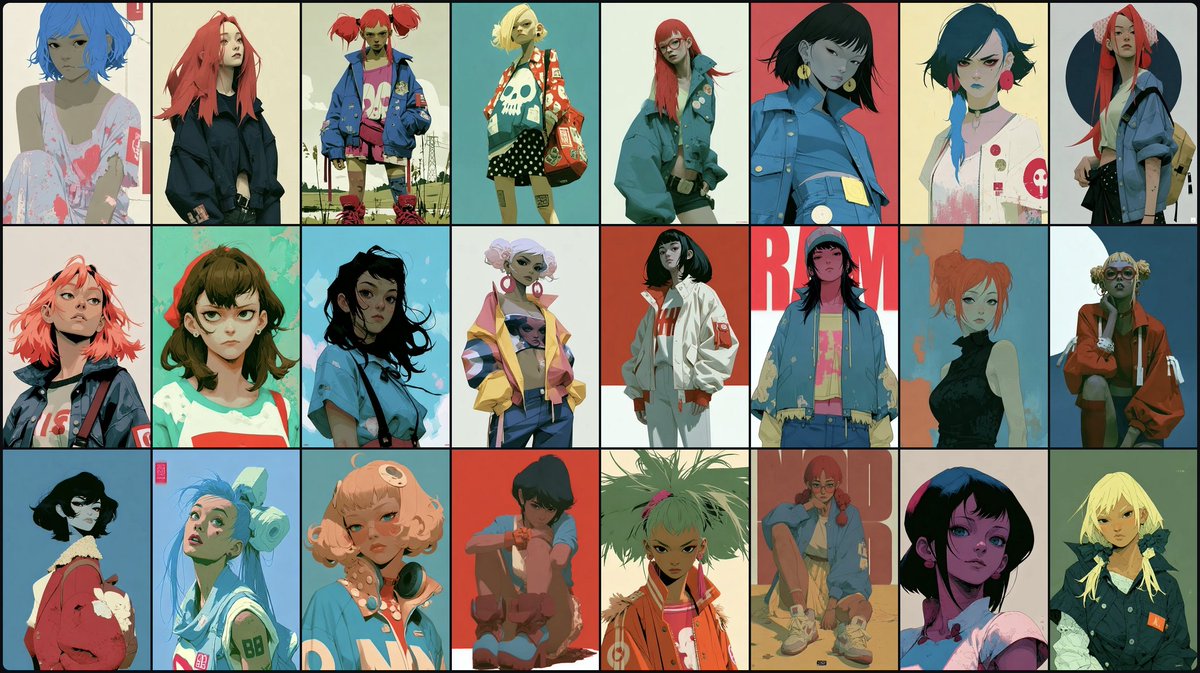
How to Write Prompts for Character and Consistent Faces
Keeping a character's face consistent across multiple generations is one of the hardest problems in AI image prompting. A character that looks slightly different in every frame breaks immersion, ruins storyboards, and makes character-driven projects feel amateurish. The good news is that with the right prompt structure, you can dramatically improve facial consistency without needing complex external tools.
This guide walks you through practical techniques for writing prompts that lock in facial features, hairstyles, and expressions. You'll learn the building blocks of a character prompt, how to use reference-driven approaches, and how to adapt these methods across different AI image models.
Why Facial Consistency Is Hard
Most image models generate from text alone, and text is a lossy representation of a face. Describing a nose as "slightly aquiline" or eyes as "deep-set" doesn't give the model a stable anchor. Each new generation starts from noise, so the same description can produce wildly different faces.
Additionally, models often over-index on style. If you ask for a "cyberpunk detective," the model may prioritize genre tropes over your specific character description, leading to a generic face that changes every time.
Understanding these limitations helps you craft prompts that work *with* the model rather than against it.
Core Building Blocks of a Character Prompt
A strong character prompt includes five elements. Missing any one of them reduces consistency.
Here's an example prompt that follows this structure:
"Captain Elara Voss, a woman in her 30s with a diamond-shaped face, sharp cheekbones, and deep-set emerald eyes. She has short platinum blonde hair with an undercut and a thin scar across her left eyebrow. She wears a worn leather aviator jacket with a silver compass pendant. In a rain-soaked alley, determined expression, cinematic lighting."
Note how the first three sentences are fixed identity descriptors, while the final sentence controls the scene and mood. This separation is key.
Technique 1: Use a Character Sheet or Reference Anchor
If your tool supports image references (like GPT Image, Midjourney, or Stable Diffusion with IP-Adapter), create a character sheet first. A character sheet is a single image showing the same face from multiple angles: front, side, and three-quarter.
Then, in your prompt, reference that image explicitly. For example:
"Using the attached character sheet as reference, show Captain Elara Voss sitting at a spaceport bar, drinking a neon-blue cocktail. Keep her face, hair, and jacket exactly as in the reference. Expression: tired but alert."
This works because the model can copy the facial geometry from the reference image. For a practical example of a character-driven prompt, see this character relic-loadout collectible kit box which uses a detailed inventory approach to define a character's visual identity.
Technique 2: Token Anchors and Repetition
Some models respond to repetition. By repeating key identity words throughout the prompt, you reinforce their importance. This is sometimes called "token anchoring."
For instance:
"Elara Voss, the detective with emerald eyes and a platinum undercut, stands in a neon-lit room. Elara Voss's emerald eyes reflect the holographic signs. Her platinum undercut is messy from the chase. Elara Voss wears her aviator jacket, unzipped."
Repetition tells the model which features are non-negotiable. However, don't overdo it - too much repetition can make the prompt feel spammy. Use it for the 2-3 most critical features.
Technique 3: Negative Prompts for Drift
Many models support negative prompts - things you *don't* want in the image. Use them to prevent common consistency issues like aging, gender changes, or style shifts.
Common negative prompt additions:
For example, in Stable Diffusion you might write:
Positive: "Elara Voss, front view, same face as reference, photorealistic"
Negative: "different face, different eyes, different hair, aged, blurry"
This explicit contrast helps the model stay on target. For a storyboard example that uses this technique, check the underwater mermaid treasure storyboard prompt for GPT Image 2, which maintains character identity across multiple scenes.
Technique 4: Scene-Specific Prompts with a Shared "Character Block"
When generating a series of images, create a reusable "character block" - a paragraph of fixed descriptors that you copy into every prompt. Then vary only the scene description.
Character block:
"Subject: Kael, a 25-year-old man with a square jaw, hazel eyes, short black curly hair, and a small mole on his right cheek. He wears a dark green hoodie and a silver ring on his left index finger."
Scene A:
"[Character block] Kael walks through a crowded night market, holding a paper lantern. Warm bokeh lights, candid shot."
Scene B:
"[Character block] Kael sits on a rooftop at dawn, drinking coffee, looking over a city. Cool blue tones, cinematic wide shot."
This method ensures the core identity stays stable while allowing creative freedom in composition and mood. For a creative application, see this anime streetwear poster from character personality which translates personality traits into visual consistency.
Advanced: First-Frame Consistency in Video Models
Video generation models like Seedance or Runway face an even harder challenge: keeping a face consistent across frames *and* motion. A common trick is to use a first-frame reference. You generate a single high-quality image of your character, then feed that as the first frame to the video model, with a prompt describing the action.
For example, a Seedance 2.0 first-frame consistency prompt shows how to specify "keep same face, goggles, and film grain" across the video. The prompt explicitly tells the model which elements must not change.
"Using the first frame as reference, animate the character turning to look at the camera. Keep the face, goggles, and film grain exactly as in the first frame. Only the movement changes."
This approach works because the model uses the first frame as a structural guide.
Model-Specific Tips
Different models have different strengths. Here are quick tips for popular tools:
--cref (character reference) with an image URL. Combine with --cw (character weight) to control how strongly the reference is applied. A weight of 100 is strict, 0 is loose.For more general prompt engineering principles, the OpenAI prompt engineering guide and Anthropic's overview offer excellent foundational advice, even though they focus on text models.
Common Mistakes and How to Avoid Them
Mistake 1: Over-describing the face.
Too many details can confuse the model. Stick to 3-5 key facial features. Instead of "almond-shaped eyes with a slight epicanthic fold, green with gold flecks, long lashes," simplify to "green eyes with gold flecks."
Mistake 2: Changing descriptors between prompts.
If you call the hair "platinum blonde" in one prompt and "silver" in another, you'll get different results. Use the exact same wording every time.
Mistake 3: Ignoring style consistency.
A face can look different in a photorealistic style vs. an anime style. Keep the style anchor constant. For a style-driven approach, see this vertical character key-visual promotional poster which locks in both character and art style.
Mistake 4: Not using references when available.
If your tool supports image references, use them. Text-only consistency is much harder.
Do's and Don'ts Checklist
Here's a quick checklist to run through before generating:
Putting It All Together: A Full Example
Let's combine everything into a series of prompts for a character named "Mira."
Character block:
"Mira, a 28-year-old woman with a round face, large brown eyes, and a small button nose. She has long black hair in a braid and a tiny scar on her chin. She wears a red hooded cloak and a silver locket."
Prompt 1 (portrait):
"[Character block] Portrait of Mira, front view, soft studio lighting, neutral expression, photorealistic, high detail. Negative: different face, different hair, aged."
Prompt 2 (action scene):
"[Character block] Mira running through a forest, motion blur, leaves flying, determined expression, cinematic lighting, photorealistic. Negative: different face, different hair, aged."
Prompt 3 (close-up):
"[Character block] Close-up of Mira's face, tears in her eyes, rain on her skin, dramatic lighting, photorealistic. Negative: different face, different hair, aged."
Notice how the character block stays identical, while the scene description changes. This is the core of consistency.
Further Resources
If you want to dive deeper into prompt engineering, the Prompt Engineering Guide is a comprehensive resource. For practical examples, Anthropic's prompt library offers templates that can be adapted for character work. Learn Prompting is another great starting point for beginners.
For more character-focused prompts, explore our creative category or search for character prompts to see how others structure their prompts.
Conclusion
Consistent faces are achievable with the right prompt engineering. Start by building a reusable character block, use reference images whenever possible, and be disciplined about keeping descriptors identical across prompts. Experiment with token anchoring and negative prompts to fine-tune results. With practice, you'll be able to generate entire stories with characters who look like the same person from start to finish.
Remember: consistency is a skill, not a magic trick. The more deliberate you are with your prompts, the more reliable your results will be.
Related Articles
- The Best Ideogram Prompts
Oct 13, 2026 · 7 min read
- 最佳Ideogram提示词
Oct 13, 2026 · 7 min read
- Die besten Ideogram-Prompts
Oct 13, 2026 · 7 min read
- Los Mejores Prompts de Ideogram
Oct 13, 2026 · 7 min read
- Les Meilleurs Prompts pour Ideogram
Oct 13, 2026 · 7 min read