How to Write Prompts for Anime and Illustration
Master anime and illustration prompt writing: structure, style descriptors, composition, and examples to generate stunning AI art.
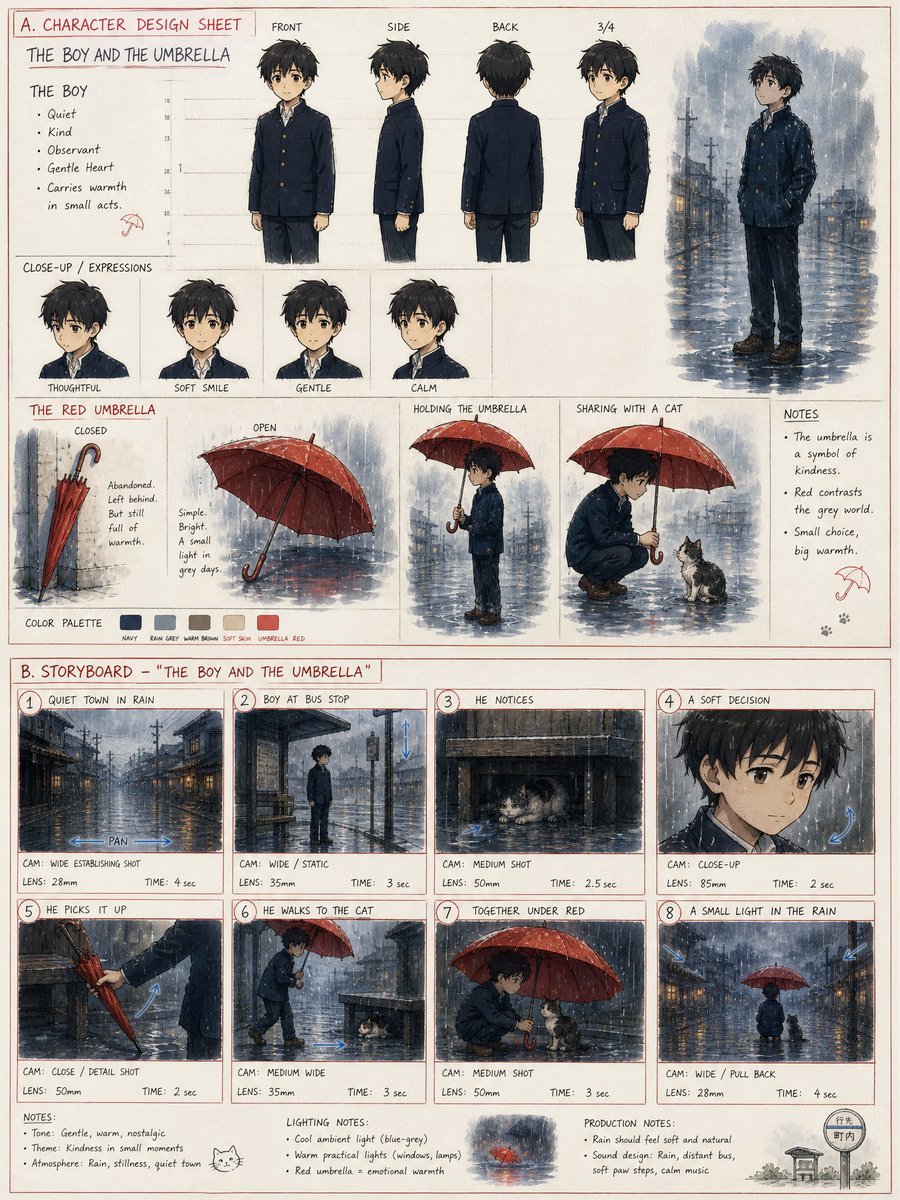
How to Write Prompts for Anime and Illustration
Anime and illustration prompts are a unique beast. Unlike general text prompts, they demand a blend of visual vocabulary, stylistic precision, and compositional awareness. A single word like "watercolor" or "chibi" can completely change the output. This guide breaks down the art of crafting prompts that consistently produce beautiful, on-style anime and illustration art.
Whether you're a beginner or a seasoned prompt engineer, you'll learn the core elements, common pitfalls, and advanced techniques to level up your AI-generated artwork.
Why Anime Prompts Are Different
Anime and illustration prompts rely heavily on visual modifiers rather than factual instructions. The model needs to understand not just *what* to draw, but *how* to draw it. This includes art style (e.g., Studio Ghibli, cyberpunk), rendering technique (cel shading, lineart), and even the era of anime aesthetics (90s retro vs. modern digital).
General prompt engineering principles still apply - clarity, specificity, and iteration - but they must be adapted to a visual language. As the OpenAI prompt engineering guide notes, clear and explicit instructions are crucial, but for image generation, that clarity is expressed through descriptive adjectives and artistic terms.
Core Structure of an Anime/Illustration Prompt
A well-crafted prompt typically follows a loose structure. Think of it as building a sentence with layers:
Here's an example of a simple prompt:
"Anime style portrait of a young girl with silver hair, blue eyes, wearing a school uniform, soft sunlight, cherry blossoms in background, highly detailed, masterpiece"
Now, let's break down each element.
1. Nail the Subject and Character Description
The subject is the anchor. Be specific about physical traits, clothing, and role. Instead of "a warrior," try "a female knight with a damaged shield and a flowing cape." For characters, consider:
For an example of a character-driven prompt, check out the Anime Streetwear Poster From Character Personality prompt, which shows how to translate personality traits into visual fashion choices.
2. Define the Art Style Explicitly
This is where you tell the model which "school" of illustration you want. Common categories include:
Don't be afraid to combine styles. For instance, "watercolor anime illustration" can yield a soft, dreamy result. The Luxury Anime Fashion Key Visual Poster Template demonstrates a polished, high-end aesthetic that blends anime with fashion editorial design.
3. Use Composition and Camera Language
Composition dictates how the viewer's eye moves. Use terms like:
For dynamic scenes, think about action lines or motion blur. For a cinematic feel, consider "cinematic lighting" or "depth of field." The Cinematic Anime Street Juggler Short Film prompt is a great study in how composition and motion are described for a sequential art feel.
4. Set the Mood and Color Palette
Mood is conveyed through color and light. Specify:
Example: "a rainy cyberpunk alley, neon pink and blue reflections on wet pavement, moody atmosphere" instantly sets a tone.
5. Add Quality Boosters (But Use Them Wisely)
Terms like "highly detailed," "intricate," "sharp focus," "8k," "masterpiece" are common in image prompts. They can help, but overusing them may dilute the effect. The Anthropic prompt engineering overview suggests that being specific about what you want often beats generic superlatives. Instead of just "highly detailed," say "intricate mechanical details on the armor" or "detailed lace pattern on the dress."
Common Mistakes and How to Fix Them
- *Fix:* "90s retro anime style, cel shading, film grain"
- *Fix:* Prioritize the top 3-5 most important elements.
Advanced Techniques for Better Results
Use Reference Styles and Artists (Ethically)
Many models can mimic famous styles. If you say "in the style of Makoto Shinkai," you'll get that signature sky and lighting. But be mindful of the ethical implications of copying living artists. Instead, you can describe the visual characteristics: "vivid blue skies, detailed clouds, dramatic lighting." The Google Gemini prompting strategies page offers general advice on iterative refinement that applies here.
Describe the Process, Not Just the Result
Sometimes, telling the model *how* to create the image helps. For example:
This can lead to more organic, hand-crafted feels.
Use Storytelling Elements
A prompt that hints at a narrative often yields more engaging images. Instead of "a girl with a sword," try "a girl with a sword standing before a burning village, determined expression, embers floating in the air." The Moonlight Bakery - 3D Pixar Style Animated Short prompt shows how a simple scene description can evoke a whole story.
Example Prompt Breakdown
Let's deconstruct a strong prompt:
"Anime key visual, a young boy with spiky orange hair and a green jacket, standing on a rooftop at sunset, city skyline in background, dramatic low angle, warm golden light, wind blowing his hair, detailed clouds, cinematic composition, vibrant colors, high detail"
This prompt is specific enough to guide the model but leaves room for creative interpretation.
Tools and Resources to Improve Your Prompts
[subject], [style], [composition], [lighting], [mood]. Experiment.For more inspiration, browse our creative category or search for anime prompts on wikiprompt.org.
Checklist for a Great Anime/Illustration Prompt
Final Thoughts
Writing prompts for anime and illustration is a skill that improves with practice. Start simple, then layer in details. Study successful prompts like the Seedance 2.5 Pixar-Style Animated Short Film Prompt or the LEGO style travel diorama prompt for ChatGPT Image 2 to see how different styles are described. Remember to experiment, iterate, and have fun. The more you refine your prompts, the closer you'll get to the image in your imagination.
For a deeper dive into prompt engineering principles, check out the Google Vertex AI prompt design guide or the Anthropic business prompt engineering article. Happy prompting!
Related Articles
- The Best Ideogram Prompts
Oct 13, 2026 · 7 min read
- 最佳Ideogram提示词
Oct 13, 2026 · 7 min read
- Die besten Ideogram-Prompts
Oct 13, 2026 · 7 min read
- Los Mejores Prompts de Ideogram
Oct 13, 2026 · 7 min read
- Les Meilleurs Prompts pour Ideogram
Oct 13, 2026 · 7 min read