How to Write the Best Prompt for AI Video (Sora, Veo, Seedance)
Master the art of prompting AI video generators like Sora, Veo, and Seedance. Learn structure, motion, camera, and style techniques with examples.
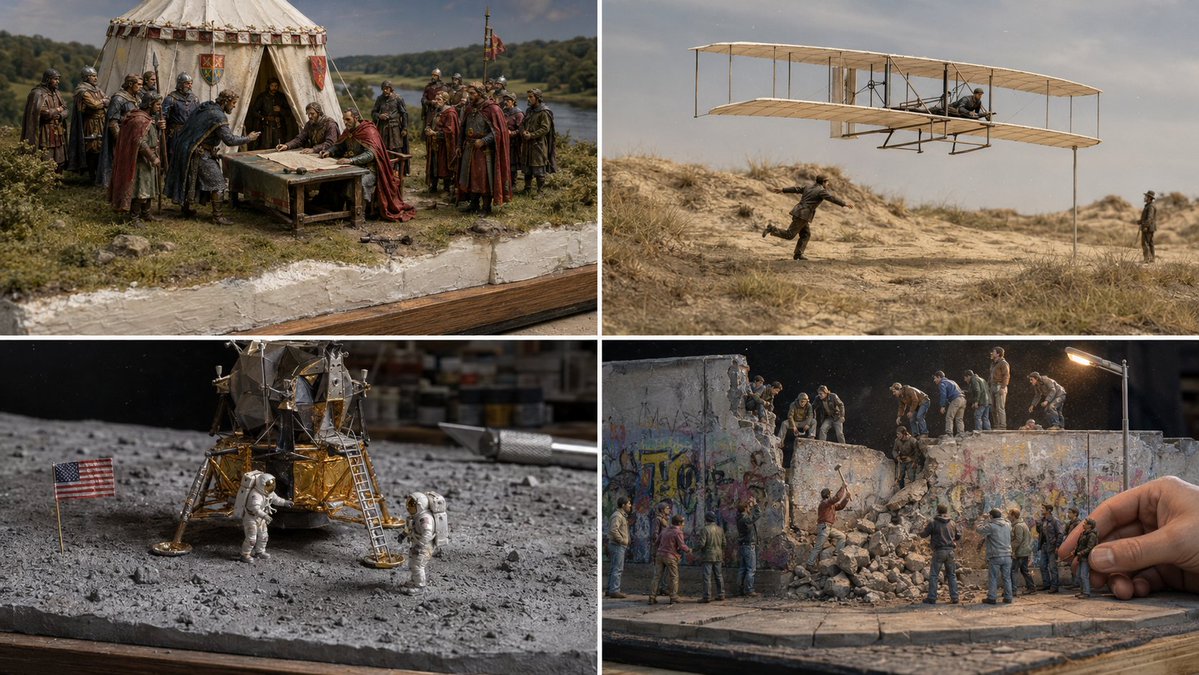
How to Write the Best Prompt for AI Video (Sora, Veo, Seedance)
AI video generators like OpenAI's Sora, Google's Veo, and Seedance are transforming how we create moving images. But the quality of your output depends almost entirely on the quality of your prompt. Unlike text generation, video prompts require a unique blend of visual description, motion language, and temporal structure. This guide will teach you how to craft prompts that produce stunning, coherent AI videos.
The Core Difference Between Image and Video Prompts
A still image prompt describes a single moment. A video prompt must describe a sequence of moments. The key is to think in terms of time, motion, and change. You are not just describing a scene; you are directing a short film.
For example, an image prompt might say: "A woman singing on a stage." A video prompt for the same scene should add: "A woman singing on a stage, her voice rising as the camera slowly zooms in, stage lights pulsing in rhythm with the music."
Essential Elements of an AI Video Prompt
1. Subject and Action
Start with a clear subject and what they are doing. Be specific about the action. Instead of "a person walking," try "a woman in a red dress walking confidently through a rain-soaked city street at night."
2. Motion and Dynamics
Describe the type of motion. Is it smooth, jerky, flowing, or explosive? Use verbs like "glides," "spins," "pulses," or "erupts." This helps the AI understand the energy of the scene.
3. Camera Movement and Perspective
This is one of the most powerful tools in video prompting. Specify camera angles and movements: "slow dolly in," "aerial shot descending," "handheld shaky cam," "pan left to reveal." Each creates a different feeling.
4. Lighting and Atmosphere
Lighting sets the mood. Use terms like "golden hour," "neon glow," "harsh shadows," or "soft diffused light." Also describe the atmosphere: "foggy," "smoky," "rainy," "sunny."
5. Style and Aesthetic
Define the visual style. This could be "cinematic," "anime," "photorealistic," "8-bit pixel art," or "watercolor animation." Many AI video models excel at mimicking specific styles, so be explicit.
6. Temporal Structure
For longer videos, describe a beginning, middle, and end. For example: "A flower bud slowly opens over 10 seconds, petals unfurling one by one, then a butterfly lands on it."
Structuring Your Prompt: A Formula
A well-structured video prompt often follows this pattern:
[Style] + [Subject] + [Action] + [Environment] + [Lighting/Atmosphere] + [Camera Movement] + [Duration/Transition]
Example: "Cinematic anime style, a young girl with a red umbrella jumping rope in a neon-lit alleyway, rain falling, steam rising from vents, slow motion, camera circles around her, 15 seconds."
This prompt is specific and gives the AI clear guidance on every aspect of the video.
Common Mistakes and How to Avoid Them
Mistake 1: Being Too Vague
Bad: "A dog running."
Good: "A golden retriever running through a field of tall grass, sunlight streaming through the trees, camera tracking alongside the dog at low angle."
Mistake 2: Ignoring Motion
Bad: "A beautiful sunset over the ocean."
Good: "A beautiful sunset over the ocean, waves gently rolling onto the shore, clouds slowly shifting from orange to purple, camera slowly pulling back to reveal the entire coastline."
Mistake 3: Overloading with Contradictions
Avoid mixing incompatible styles, like "photorealistic 3D animation" or "fast-paced slow motion." Stick to a coherent set of descriptors.
Mistake 4: Forgetting the Ending
If you want a complete scene, describe how it ends. For example: "...then the character turns and walks away, fading into the mist."
Advanced Techniques for Better Results
Use Negative Prompts (When Available)
Some AI video tools allow negative prompts to exclude unwanted elements. For example: "No blur, no distortion, no extra limbs."
Layer Details Strategically
Start with the broad scene, then add details. This helps the AI prioritize. For example: "A cyberpunk city street. A neon sign flickers. A robot vendor sells ramen. Steam rises from a manhole. A hovercar flies overhead."
Reference Existing Styles
Mentioning specific films, directors, or art styles can guide the AI. For example: "In the style of Studio Ghibli, with the lighting of Blade Runner 2049."
Experiment with Seed Values
Many AI video generators use seed numbers to control randomness. If you get a good result, note the seed so you can reproduce or tweak it.
Example Prompts for Different AI Video Generators
For Sora (OpenAI)
Sora excels at realistic physics and complex scenes. Try: "A majestic dragon flying over a medieval castle, wings beating powerfully, camera follows from behind, clouds parting, golden sunlight breaking through."
For Veo (Google)
Veo handles cinematic shots well. Try: "Cinematic shot of a lone samurai standing on a cliff at sunset, wind blowing his cloak, camera slowly rotates around him, dramatic orchestral music implied."
For Seedance
Seedance is great for artistic and abstract videos. Try: "Abstract animation of flowing liquid metal, morphing from a human face into a bird, iridescent colors, smooth transitions, 20 seconds."
Internal Resources for Inspiration
To see how these principles are applied in practice, explore our collection of curated video prompts. For example, the Cinematic Singing Woman Video Prompt shows how to combine motion, lighting, and camera work. The Cinematic Anime Rain Rooftop Staff Fight demonstrates action choreography. The Cinematic BMX Urban Anime Short Film Prompt is great for fast-paced movement. The Cinematic Anime Jump Rope Short Film Prompt shows how to handle repetitive motion. The Red Veil Register System Prompt for Image Generation offers a structured approach to system-level prompts. The Cinematic Anime Street Juggler Short Film is perfect for learning temporal sequencing.
For more creative prompts, visit our Creative category or search for video prompts.
Further Reading and External Resources
To deepen your understanding, check out these authoritative guides. The OpenAI prompt engineering guide is essential for Sora users. The Anthropic prompt engineering overview provides general principles that apply to video. The Google Gemini prompting strategies are useful for Veo. The Prompt Engineering Guide (promptingguide.ai) is a comprehensive resource. For business applications, see Anthropic: prompt engineering for business.
Quick Checklist for Your Next Video Prompt
Conclusion
Writing the best prompt for AI video is a skill that improves with practice. Focus on clarity, specificity, and temporal structure. Use the formula and examples above as a starting point, and don't be afraid to iterate. Each generation teaches you something new. With the right prompt, you can turn a simple idea into a compelling moving image.
Remember, the AI is your collaborator. Give it a clear vision, and it will bring it to life.
Related Articles
- The Best Ideogram Prompts
Oct 13, 2026 · 7 min read
- 最佳Ideogram提示词
Oct 13, 2026 · 7 min read
- Die besten Ideogram-Prompts
Oct 13, 2026 · 7 min read
- Los Mejores Prompts de Ideogram
Oct 13, 2026 · 7 min read
- Les Meilleurs Prompts pour Ideogram
Oct 13, 2026 · 7 min read