AI Infographic and Diagram Prompts
Infographics are the most underrated thing you can make with an AI image model: exploded diagrams, anatomy posters, cheat sheets. Here are the best prompts and the 5 patterns that keep them readable.
AI Infographic and Diagram Prompts
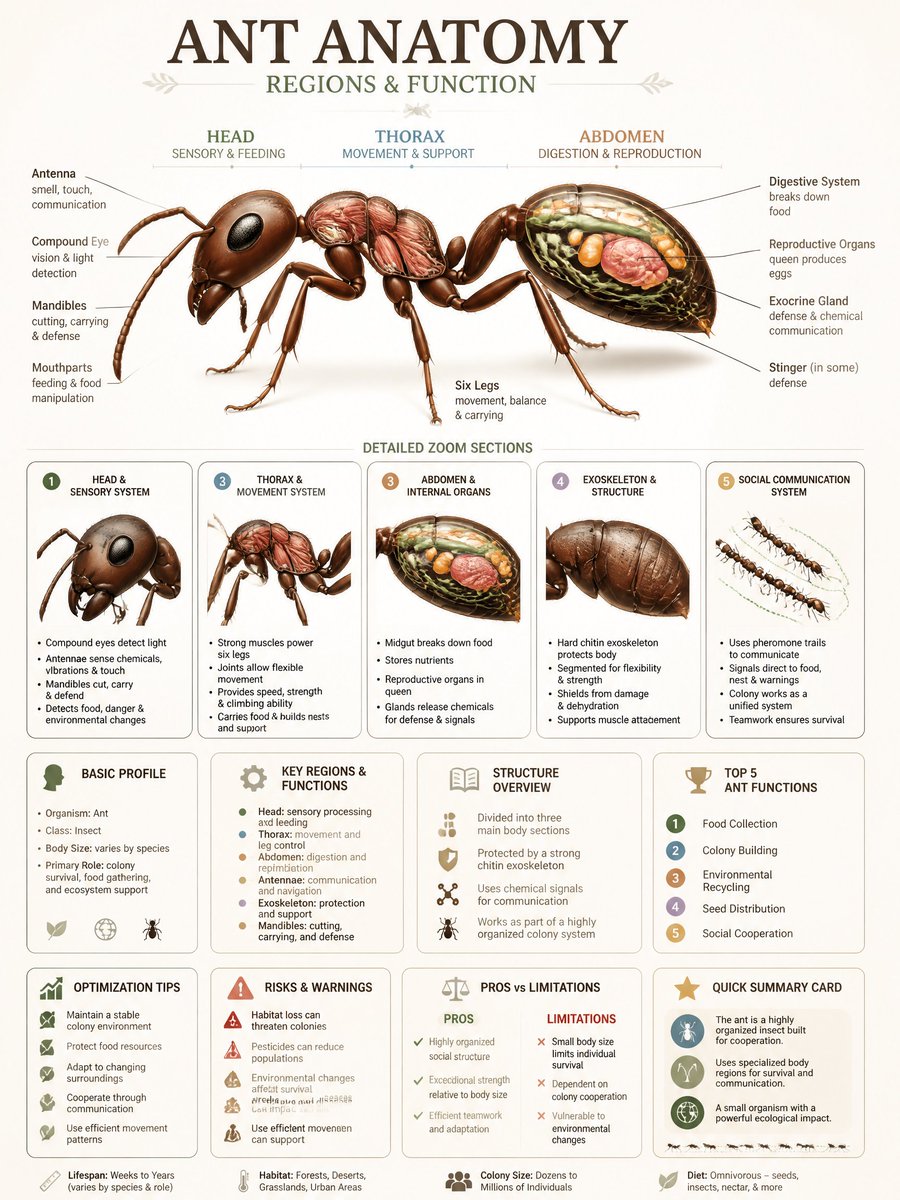
Infographics are one of the most underrated things you can make with an AI image model. Not a photo, not an illustration, but a designed explainer: an exploded technical diagram, an anatomy poster, a product cutaway with callouts, a cheat sheet. Done well they are genuinely useful content, the kind that gets saved and shared, and the models have gotten surprisingly good at the layout logic they require. Our catalog has hundreds of infographic and diagram prompts. Here are the best, and the patterns that make them readable instead of decorative gibberish.
What the models are good at (and where they break)
Across the catalog, AI handles the visual language of infographics well: exploded and cutaway views, labeled anatomy, encyclopedia-style poster layouts, isometric technical renders, and hand-drawn cheat sheets. The honest caveat: text is the weak point. Models still garble long labels and fake numbers, so the reliable move is to keep real copy short and treat the callout lines, zoom insets and grid structure as the thing you are actually prompting for. GPT Image 2, GPT Image and Nano Banana are the strongest here because they respect layout instructions best.
Patterns that work
The prompts
A starter recipe
Pick an archetype (exploded view, anatomy, encyclopedia page), name your subject, ask for numbered callouts and a defined grid, choose a visual era, and keep the real text to a title plus a handful of short labels. Re-run with a new subject and the same structure to build a whole series in one consistent style.
Explore more
Browse the full set in infographic and diagram prompts, and compare how GPT Image 2 and Nano Banana handle layout, or run any of these in Create.
Related Articles
- The Best Ideogram Prompts
Oct 13, 2026 · 7 min read
- 最佳Ideogram提示词
Oct 13, 2026 · 7 min read
- Die besten Ideogram-Prompts
Oct 13, 2026 · 7 min read
- Los Mejores Prompts de Ideogram
Oct 13, 2026 · 7 min read
- Les Meilleurs Prompts pour Ideogram
Oct 13, 2026 · 7 min read